VaultPanel
Self-hosted · Ubuntu & Debian · Free to use

Your Servers. Your Infrastructure. One Powerful Panel.

Manage Linux servers, deploy applications, and control your hosting infrastructure from one powerful platform built for developers and hosting providers.

Installs on Ubuntu 22.04 LTS, Ubuntu 24.04 LTS, Ubuntu 26.04 LTS, Debian 12 and Debian 13.

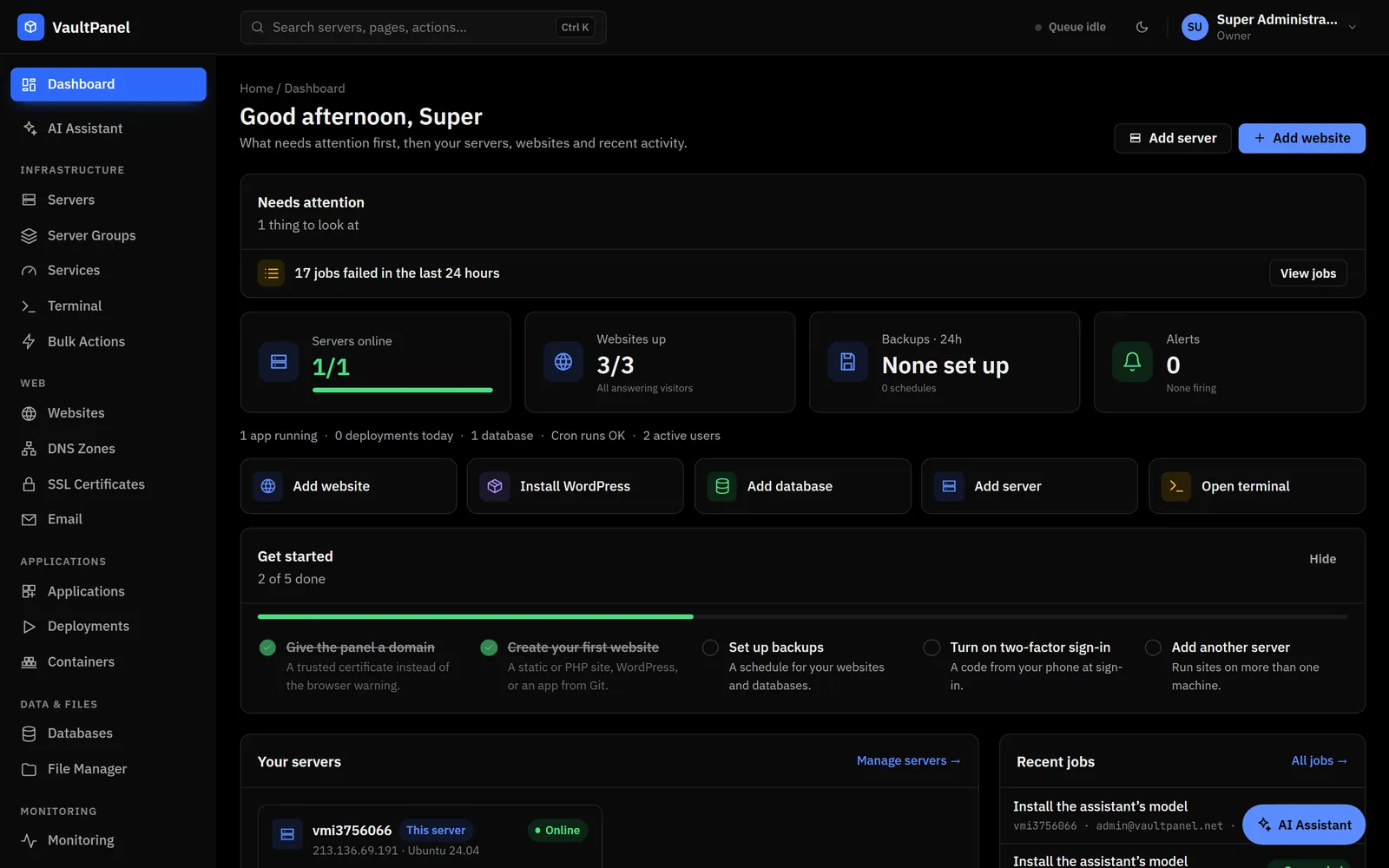
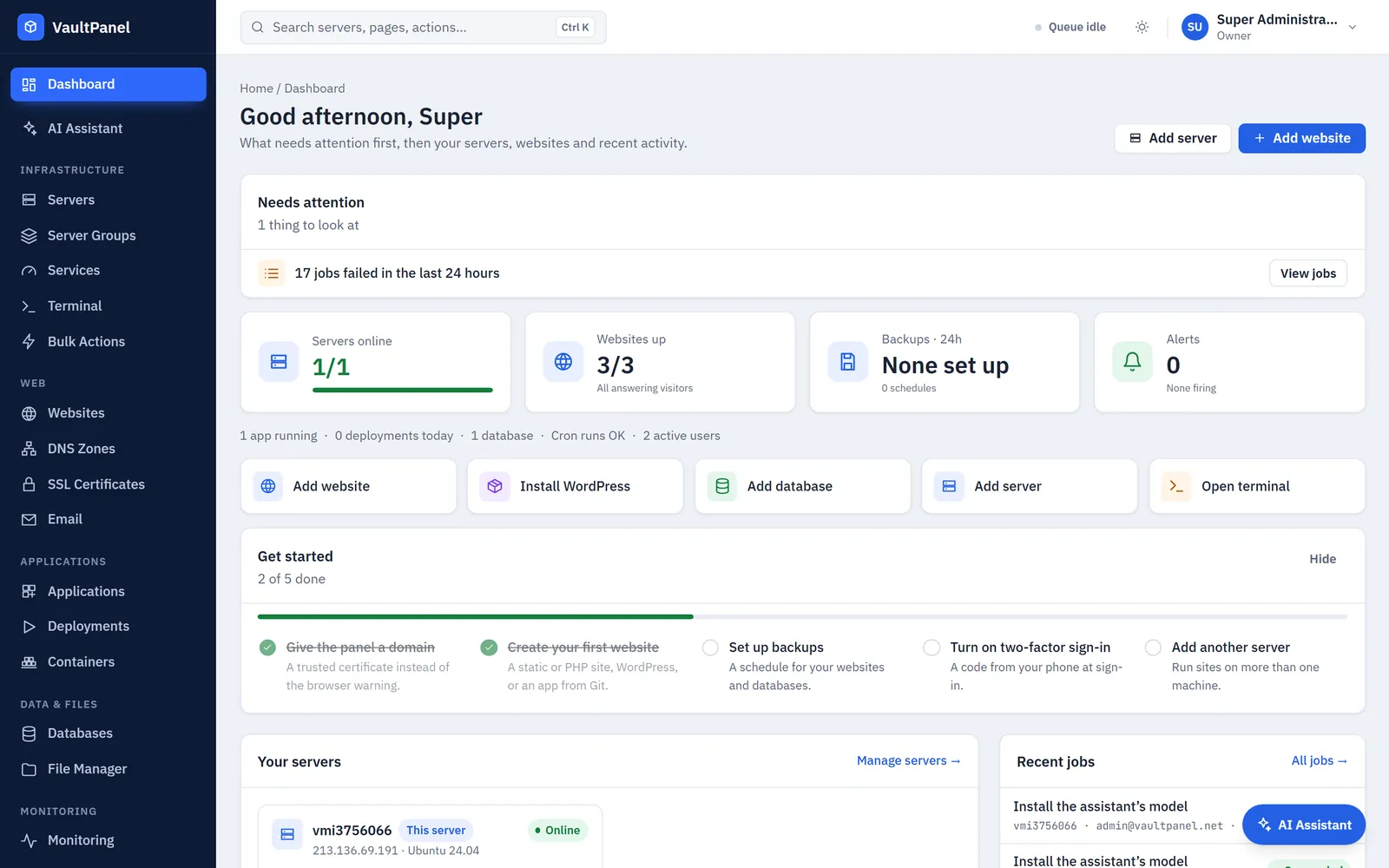
The VaultPanel dashboard: servers online, websites up, backups and alerts, quick actions, a Get started checklist and the connected serverThe VaultPanel dashboard: servers online, websites up, backups and alerts, quick actions, a Get started checklist and the connected server

Works with the software you already run and the services you use

Sets up and manages

  • Ubuntu
  • Debian
  • NGINX
  • PHP-FPM
  • Apache
  • Let’s Encrypt
  • MariaDB
  • phpMyAdmin
  • Node.js
  • Python
  • Go
  • Ruby
  • PM2
  • Docker
  • Redis
  • BIND
  • Postfix
  • Dovecot
  • Rspamd
  • Roundcube
  • UFW
  • Fail2ban
  • ModSecurity
  • ClamAV
  • WordPress
  • Laravel

Connects to

  • GitHub
  • GitLab
  • Gitea
  • Forgejo
  • Bitbucket
  • Cloudflare
  • Namecheap
  • Amazon S3
  • Backblaze B2
  • Wasabi
  • Cloudflare R2
  • MinIO
  • WHMCS
  • Slack
  • Discord
  • Claude
  • Ollama

What is VaultPanel?

A Linux server control panel you run on your own infrastructure

VaultPanel is a self-hosted web control panel for Linux servers. You install it on an Ubuntu or Debian server, connect more servers through a small agent, and deploy and run websites, applications, databases, DNS, email, SSL, backups and security from one interface.

Every change the panel makes on a server is a signed job from a fixed catalog of operations. Its log is kept, and every change is recorded in the audit log, so you always know what happened, when, and who did it.

Type
Self-hosted web control panel for Linux servers
Installs on
Ubuntu 22.04, 24.04, 26.04 LTS · Debian 12, 13
Manages
Any server running the agent: 64-bit Linux with systemd, on x86-64 or arm64
Runs
Static, PHP and proxied websites; Node.js, Python, Go and Ruby apps; Docker containers
Price
Free to use under the VaultPanel License
Interface
Web panel in 6 languages, REST API, JavaScript SDK and CLI

Product tour

See it in the real interface

These are screenshots of VaultPanel itself, in the theme you are viewing this page in.

Server management

Every server, one view

Connect Linux servers through a small agent and watch, secure and control them from the browser.

  • Agent-based connections. A single Rust program on each server (x86-64 or arm64) connects out to the panel over HTTPS, so managed servers need no inbound port for VaultPanel.
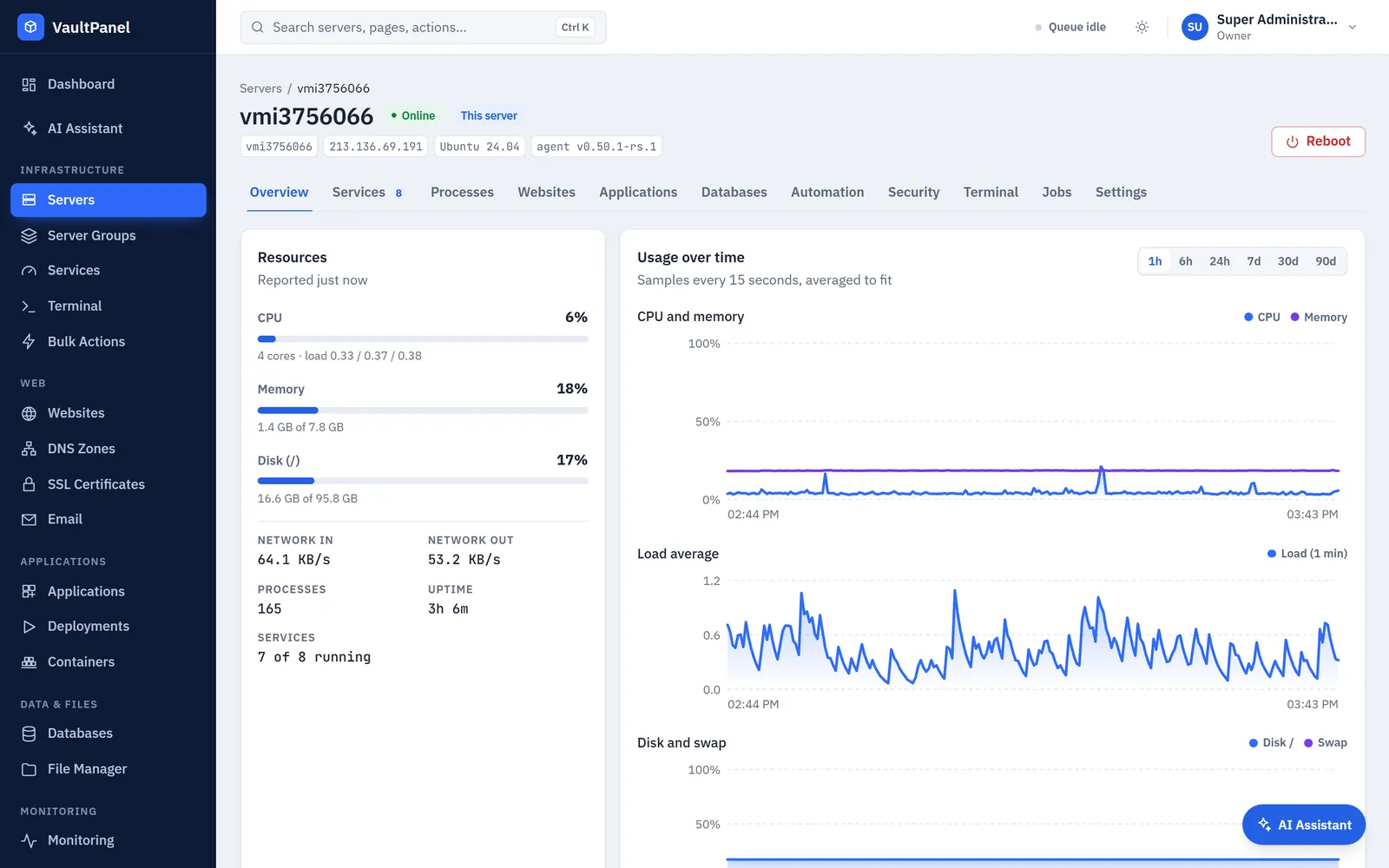
  • Live and historical monitoring. CPU, memory, disk, network, load, services and processes, with charts and alerts by email and webhook.
  • Self-check every five minutes. Each server confirms the panel’s features will work there (nginx -t, Certbot’s timer, the clock, failed units) and shows the command to fix a failure.
  • Browser terminal with recordings. Owners can open a root terminal in the browser; sessions can be recorded, replayed and downloaded.
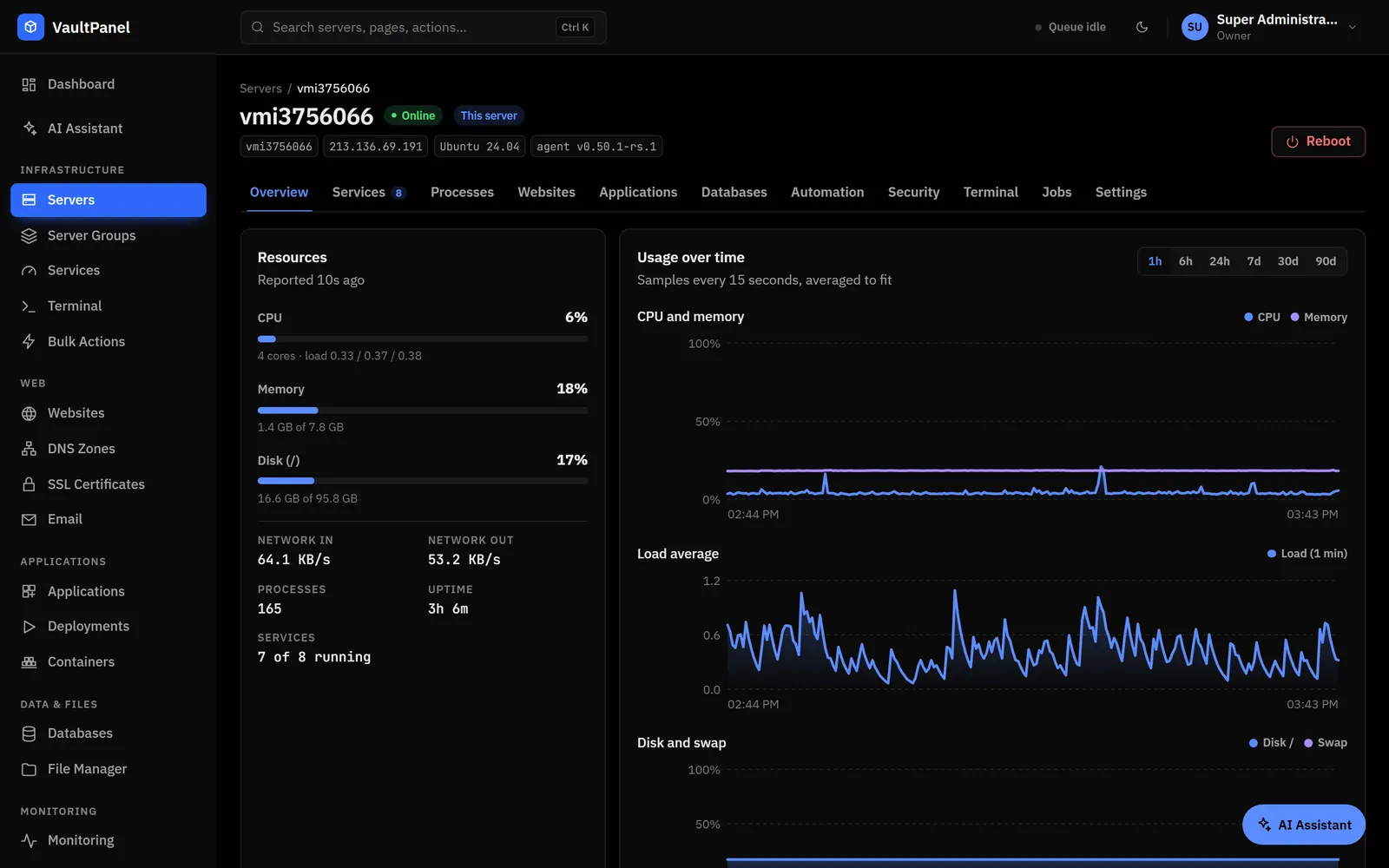
A server’s Overview tab in VaultPanel with CPU, memory and disk usage, services running and one-hour charts of CPU, memory, load and diskA server’s Overview tab in VaultPanel with CPU, memory and disk usage, services running and one-hour charts of CPU, memory, load and disk

Web hosting

Websites with NGINX, PHP and SSL set up for you

Static sites, PHP sites on PHP-FPM and reverse proxies, with certificates, caching and protection built in.

  • Static, PHP and reverse-proxy sites. A PHP version per site (7.4 and 8.0 to 8.5), a single-page-app setting for static sites, and custom NGINX rules for staff.
  • .htaccess support. Turn on .htaccess per website through Apache behind NGINX.
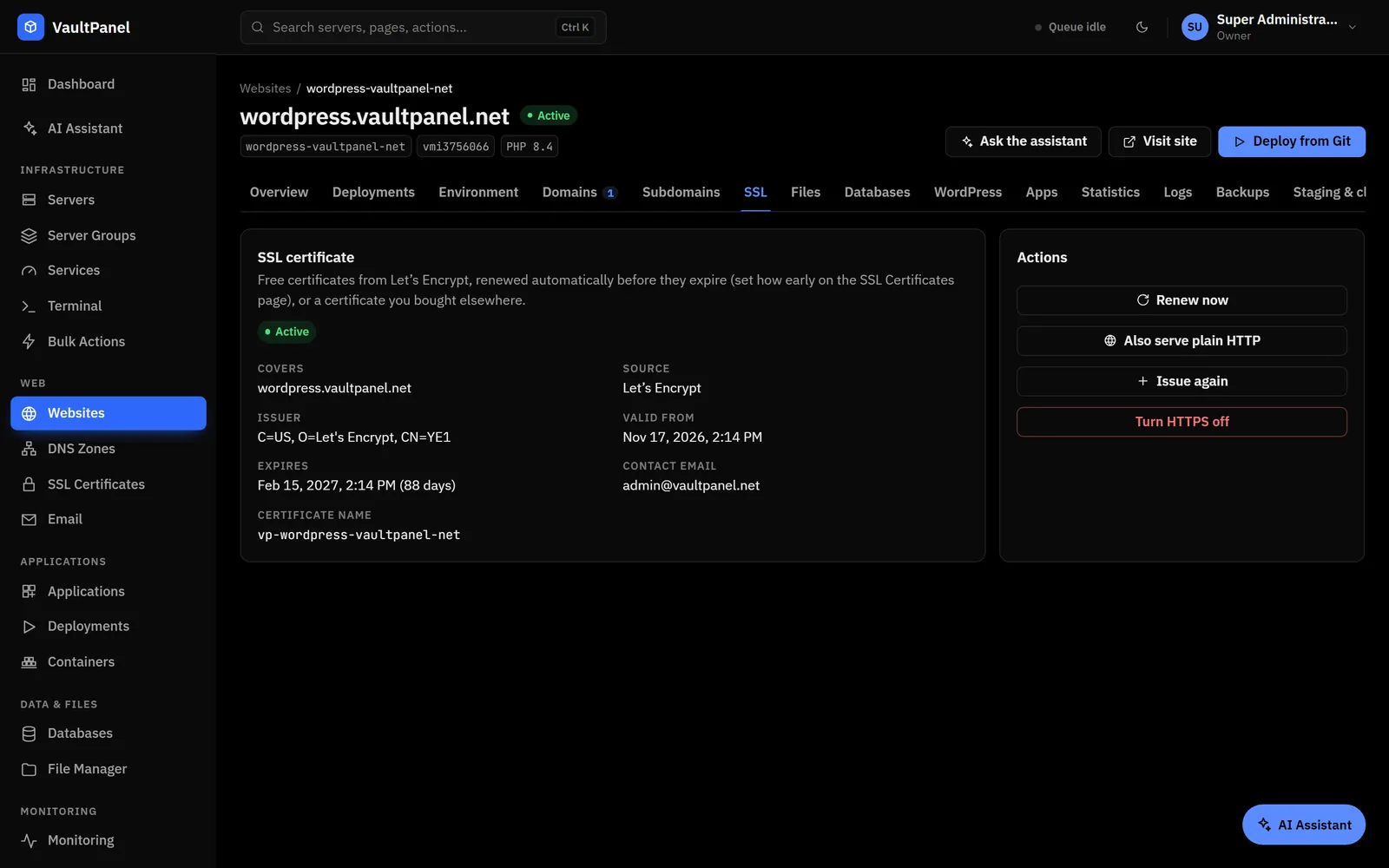
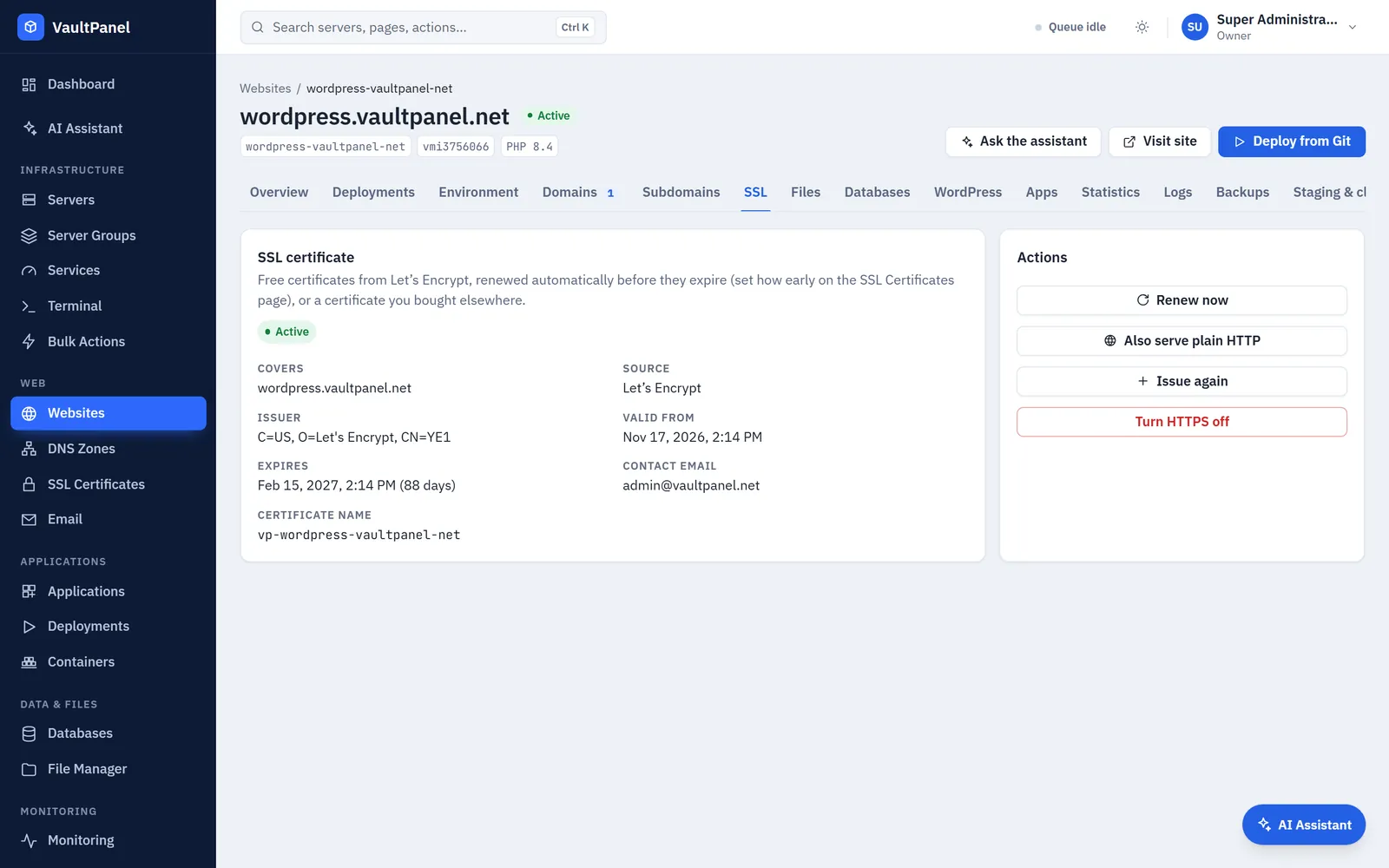
  • Free and wildcard SSL. Let’s Encrypt certificates, your own uploaded certificates, and wildcard certificates through the panel’s DNS zones, Cloudflare or Namecheap.
  • One-step CMS installs. Install WordPress, Joomla, Drupal or Laravel with its database, plus WordPress tools, staging copies and clones.
The SSL tab of a website in VaultPanel with an active Let’s Encrypt certificate and renewal actionsThe SSL tab of a website in VaultPanel with an active Let’s Encrypt certificate and renewal actions

Application deployment

Deploy from Git, roll back in seconds

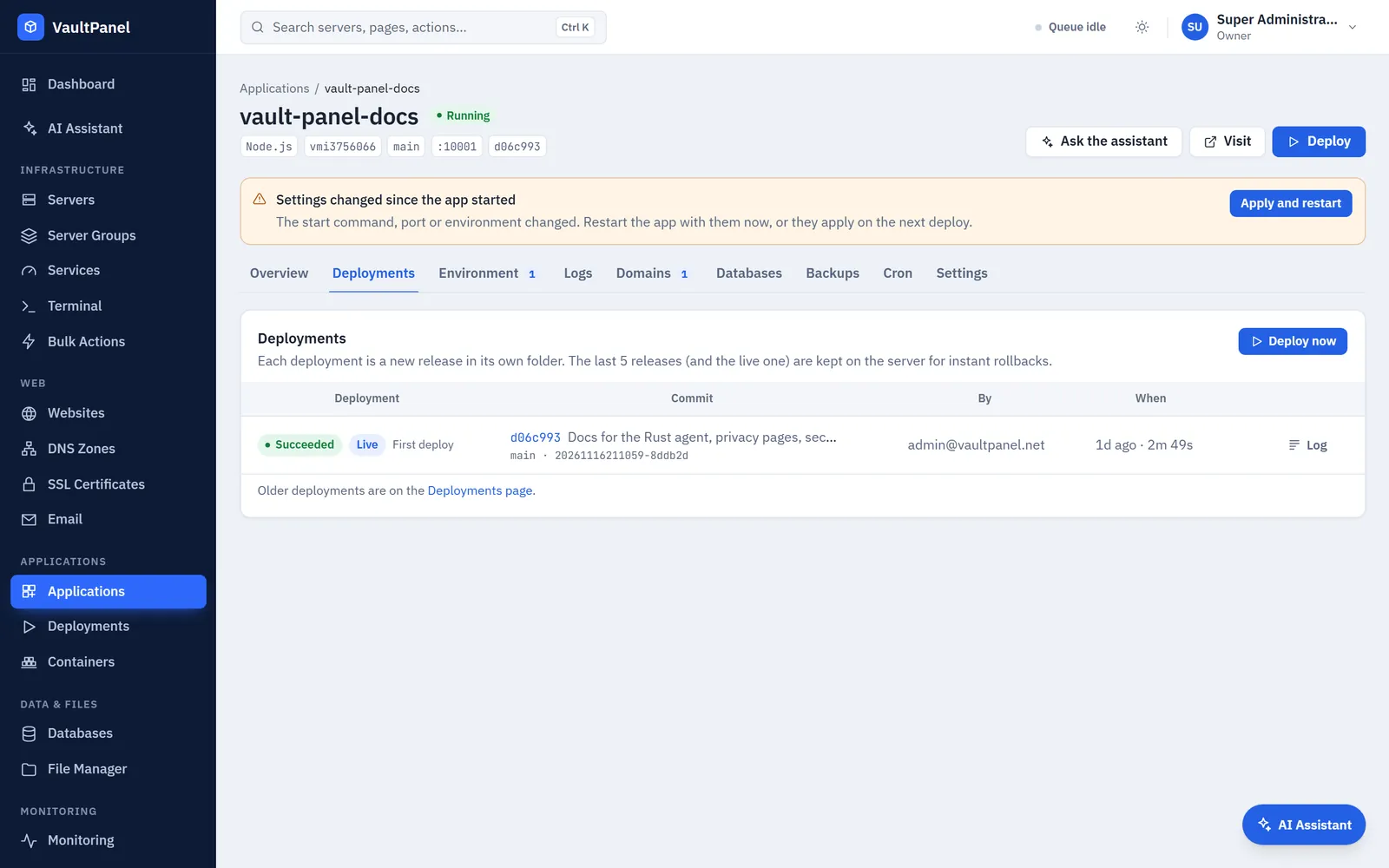
Node.js, Python, Go and Ruby apps deploy into release folders and run under PM2 as their own Linux user.

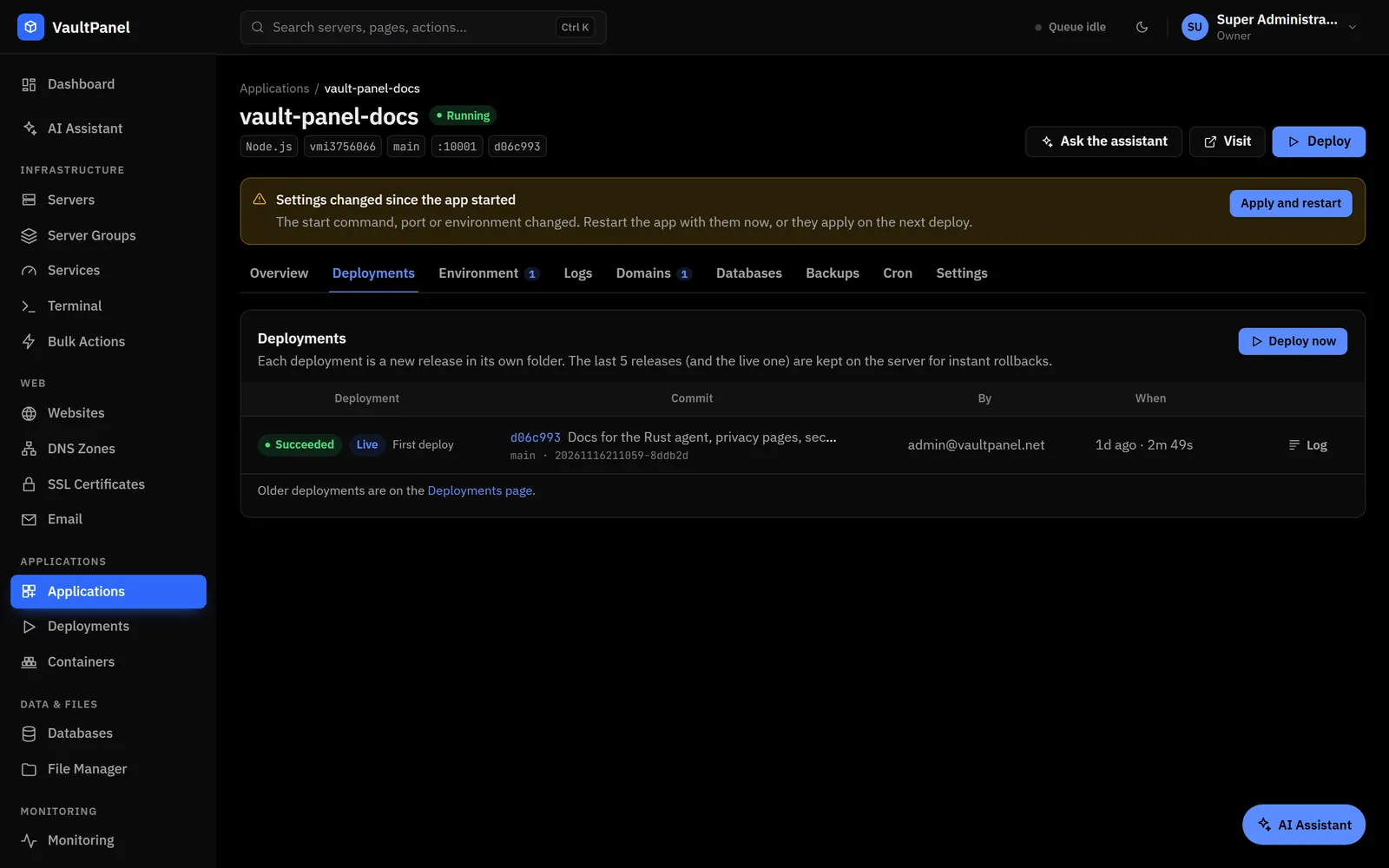
  • Staged deployments with health checks. Fetch, install, build, configure, start and health-check. The running release is untouched until the new one answers, and a failing release is switched back.
  • Push to deploy. Signed webhooks from GitHub, GitLab, Gitea, Forgejo or Bitbucket deploy every push to the app’s branch.
  • Rollbacks and zero-downtime reloads. Roll back to a kept release without rebuilding. Node.js apps reload without dropping requests.
  • Domains, SSL and limits. Link an app to a website for its domain and certificate, run several copies on one server, and cap CPU and memory.
The Deployments tab of an app in VaultPanel, showing a deployment of a Git commit marked Succeeded and LiveThe Deployments tab of an app in VaultPanel, showing a deployment of a Git commit marked Succeeded and Live

Hosting and billing

Built for selling hosting

Hosting plans with quotas, customer accounts that see only their own resources, and a billing API.

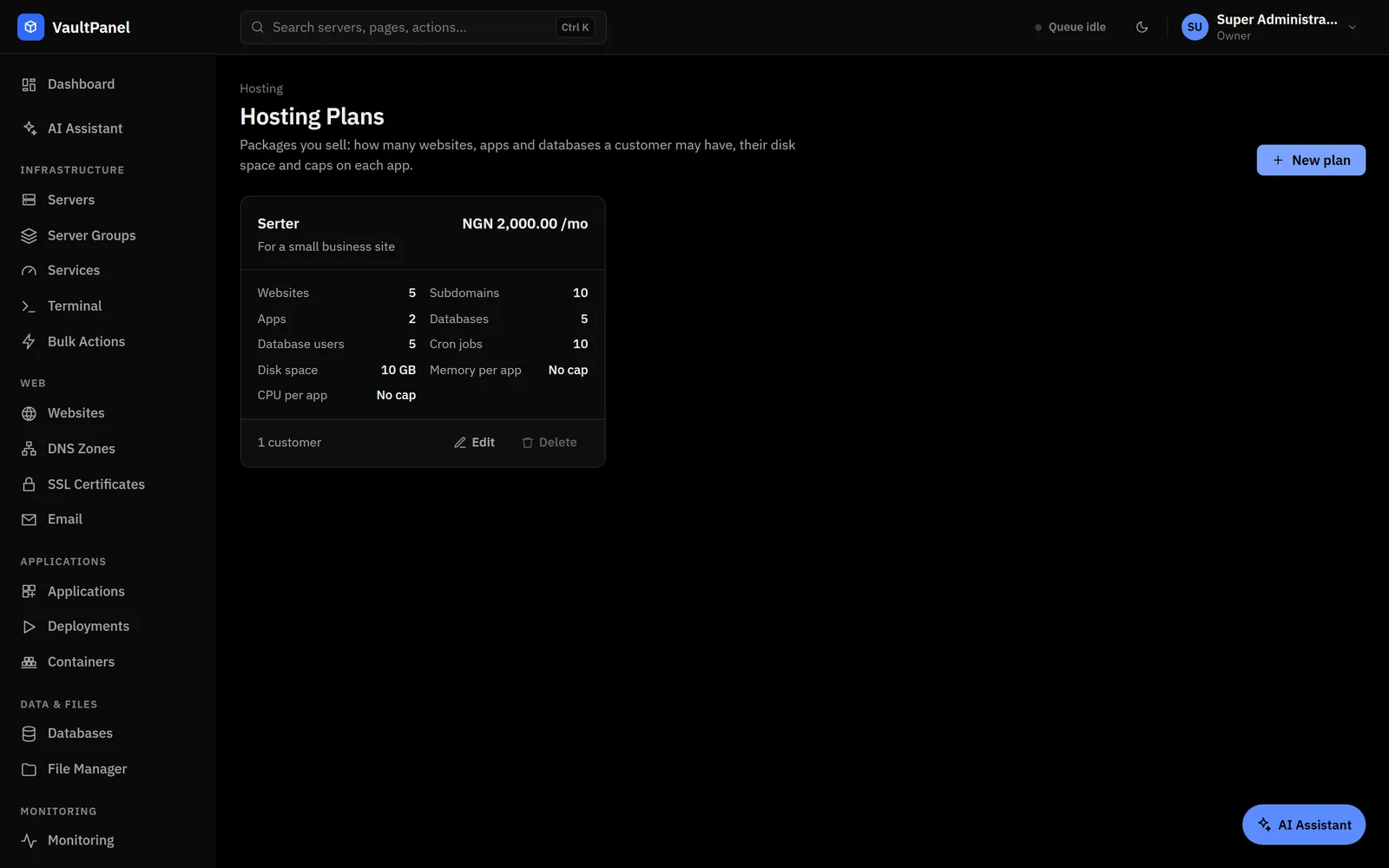
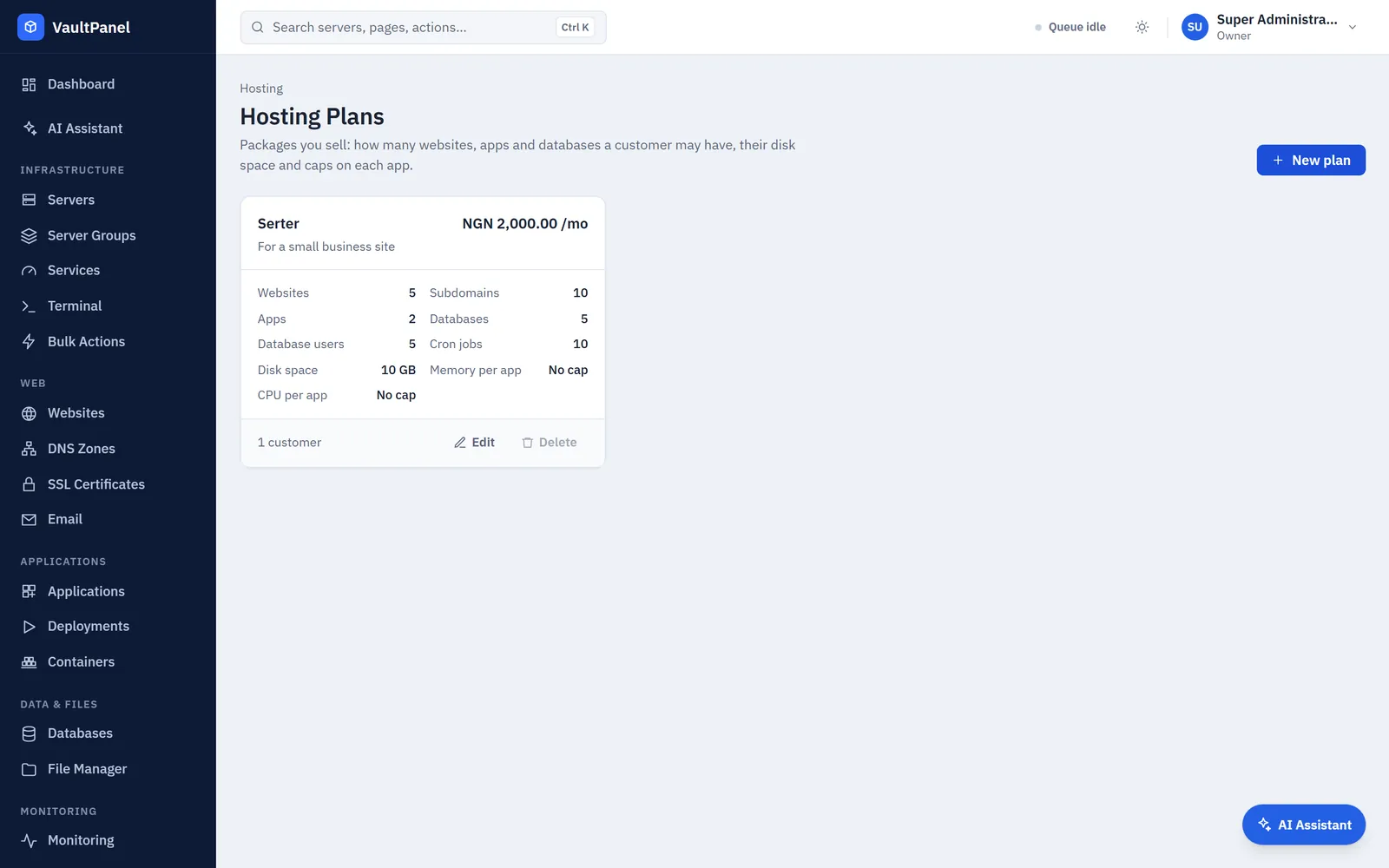
  • Hosting plans and quotas. Limit websites, apps, databases, cron jobs and disk space per plan, with CPU and memory caps per app.
  • Customer accounts. Customers sign in to a panel that shows only their own account, and can be suspended and removed.
  • Billing API and WHMCS module. WHMCS, Blesta or your own billing system manage accounts; the included WHMCS module creates, suspends, upgrades and terminates, with single sign-on.
  • Financial report. See what accounts are worth at their plans’ prices.
The VaultPanel Hosting Plans page with a plan card listing limits for websites, subdomains, apps, databases, cron jobs and diskThe VaultPanel Hosting Plans page with a plan card listing limits for websites, subdomains, apps, databases, cron jobs and disk

How it works

From a fresh server to production in four steps

The installer sets everything up and runs VaultPanel as an unprivileged service that starts at boot, serving HTTPS from the first start.

  1. 01

    Create your VaultPanel account

    Sign up on the VaultPanel console to get started, and keep the documentation close at hand.

  2. 02

    Install VaultPanel on a server

    On a fresh Ubuntu or Debian server, run the checksum-verified installer as root. It finishes in minutes and prints the panel’s HTTPS address and a setup token.

  3. 03

    Connect and configure your infrastructure

    Create the owner account with the setup token. The panel’s own server is already connected; add more with the agent install command the panel gives you.

  4. 04

    Manage servers and applications

    Create websites with free SSL, deploy apps from Git, add databases, schedule backups and lock servers down, all from the browser.

On a fresh Ubuntu or Debian server, as root
# 1. Update the system and add the tools the installer needs$ apt update && apt -y upgrade && apt -y install curl wget sudo# 2. Download, verify and run the installer (command with#    the current checksum is in the installation guide)

The installer’s SHA-256 checksum changes with every release, so copy the complete command from the installation guide. It checks the installer before running anything, and apt verifies every package against VaultPanel’s signing key.

Get the install command

Secure by design

Every change is a signed job. Nothing runs that is not in the catalog.

There is no endpoint that runs arbitrary commands, on the panel or on the agent. The one deliberate exception is the browser terminal, which only owners can open.

  1. You

    Browser, CLI, SDK or API token

  2. VaultPanel

    Checks permission and parameters, signs the job

  3. Agent

    Verifies the signature, runs fixed commands, no shell

  4. Your server

    systemd, NGINX, PHP-FPM, PM2, MariaDB…

  • Agents connect out over HTTPS: managed servers need no inbound port for VaultPanel.
  • Each agent signs every request with its own Ed25519 key; replayed requests are refused.
  • The panel runs as an unprivileged user in a systemd sandbox and serves HTTPS from the first start.
  • Two-factor sign-in, passkeys, roles, IP-restricted panel access and a full audit log.

Why VaultPanel

The practical advantages

  • Your servers, your data

    Self-hosted. The panel and its agents send nothing to the VaultPanel project: no usage statistics, error reports or license check-ins.

  • Free to use

    No license key or subscription, including when you host customers. You pay only for your servers and services you choose.

  • A narrow attack surface

    Signed jobs from a fixed catalog, an unprivileged panel, an agent that connects out, and an audit log of every change.

  • Hosting and DevOps in one

    PHP sites, WordPress, email and DNS next to Git deployments, PM2 and Docker, so one panel serves both.

  • Automation built in

    The REST API the panel itself is built on is yours too, with scoped tokens, a JavaScript SDK, a CLI, webhooks and plugins.

  • Problems found early

    Self-checks, metrics, uptime checks and alerts, and an AI assistant that proposes fixes for you to approve.

Pricing

Free to use. On as many servers as you manage.

The VaultPanel License lets you install and use VaultPanel free of charge on servers you own or manage, for your own projects and to provide hosting to your customers.

VaultPanel

Freeself-hosted

  • Unlimited servers
  • Every feature
  • Hosting customers
  • API, SDK and CLI
  • Updates with one command
  • No license key
Get Started

Documentation

Documented end to end

Every feature, operation and API endpoint is described at docs.vaultpanel.net, with troubleshooting and a changelog for each release.

FAQ

Questions, answered

More in the documentation FAQ.

What is VaultPanel?

VaultPanel is a self-hosted web control panel for Linux servers. You install it on an Ubuntu or Debian server, connect more servers through a small agent, and deploy and run websites, applications, databases, DNS, email, SSL, backups and security from one interface.

Introduction →

What operating systems does VaultPanel support?

The panel installs on Ubuntu 22.04, 24.04 or 26.04 LTS, or Debian 12 or 13, with systemd, and 2 GB of memory or more is recommended. Other servers you connect need only the agent: 64-bit Linux with systemd on x86-64 or arm64, curl, and outbound HTTPS to the panel. One-click software installs use apt, so they work on Ubuntu and Debian.

System requirements →

How do I install VaultPanel?

Update a fresh Ubuntu or Debian server and install curl, wget and sudo, then download the installer from installer.vaultpanel.net, check its SHA-256 checksum (published with each release at github.com/VaultPanel/packages) and run it as root. It takes a few minutes and prints the panel’s HTTPS address and a setup token you use to create the owner account.

Installation guide →

Can I manage multiple servers?

Yes. The server the panel runs on connects itself, and you add more servers by running the agent install command the panel gives you. Agents connect out to the panel, so servers need no inbound port. Server groups let you restart a service, install updates, reboot one server at a time or update agents across many servers at once.

Connecting servers →Server groups →

Can I deploy applications?

Yes. Node.js, Python, Go and Ruby apps deploy from Git into release folders and run under PM2 as their own Linux user, with health checks, rollbacks, push-to-deploy webhooks, zero-downtime reloads for Node.js, and a domain with SSL through a linked website. PHP websites can deploy from Git too, and Docker containers run from public images.

Running applications →

Is VaultPanel suitable for hosting providers?

Yes. Hosting plans limit websites, apps, databases, cron jobs and disk space; customers sign in to a panel that shows only their own account; and a billing API with an included WHMCS module creates, suspends, upgrades and terminates accounts. The VaultPanel License allows using it free of charge to provide hosting to your customers.

Hosting and billing →

How much does VaultPanel cost?

VaultPanel is free to use under the VaultPanel License, on servers you own or manage, including to host your customers. You pay only for your own servers and any outside services you choose to connect, such as backup storage or an AI provider.

Pricing →

How do I create an account?

Select Get Started to create your account on the VaultPanel console at console.vaultpanel.net. On a panel you install yourself, the first account (the owner) is created with the setup token the installer prints; the owner then invites other users.

Quick start →

Where can I find the documentation?

The documentation is at docs.vaultpanel.net: installation, user guides for every feature, the REST API reference, the CLI, the SDK, troubleshooting and the changelog.

Open the documentation →

How can I get support?

Start with the documentation and its Troubleshooting page. Report problems and ask questions through issues on github.com/VaultPanel/packages, and report security vulnerabilities privately through GitHub security advisories on the same repository.

Troubleshooting →GitHub issues →

Take Control of Your Infrastructure.

Install VaultPanel on your own Ubuntu or Debian server and manage websites, apps and servers from one panel. Free to use.